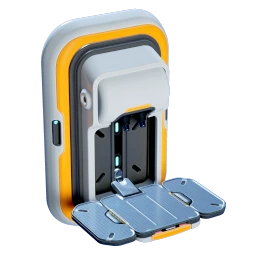
Subnautica 2 cover art
Early Access Guide

Subnautica 2 Beginner Walkthrough:
Complete Early Game Guide

Your first tools, scanner, oxygen upgrades, starter base, Repair Tool, Sonic Resonator, Tadpole, and how to avoid the most common early-game mistakes.

Last updated: May 17, 2026
⚠ Early Access note: Subnautica 2 is actively changing. Recipes, locations, balance, and blueprint unlocks may shift between updates. Treat this as a practical early-game route, not a permanent final-version walkthrough.
1

Quick Progression Roadmap

If you only want the shortest possible route, follow this order:

#GoalWhy It Matters
1Stay near the LifepodThe starter area has enough basic resources for your first tools.
2Collect TitaniumTitanium is needed for your first critical tool and early base pieces.
3Craft the Survival MultitoolIt lets you harvest tougher plants and resource nodes.
4Collect Copper, Quartz, and Acidic Raion PouchThese lead directly into batteries and the Scanner.
5Craft the ScannerScanning fragments unlocks most meaningful progression.
6Upgrade oxygen and mobilityMore oxygen and faster swimming make exploration safer.
7Follow Blackbox / signal objectivesThese markers naturally guide you toward important locations.
8Scan Habitat Builder fragmentsThis unlocks base construction.
9Build a small starter baseStorage, oxygen, power, and crafting stability.
10Work toward Repair Tool, Sonic Resonator, and TadpoleThese push you into mid-game exploration.
Lifepod resources
→ Survival Multitool
→ Basic Battery
→ Scanner
→ Air Tank / Fins / Air Bladder
→ Blackbox signals
→ Habitat Builder
→ Starter base
→ Repair Tool / Sonic Resonator
→ Tadpole submersible
2

First 15 Minutes: Do Not Rush Into Deep Water

Your first mistake will usually be greed. You see a cave, a strange plant, a glowing creature, or a deeper wreck, and you keep swimming until the oxygen warning starts screaming. Avoid that pattern.

In the opening phase, keep the Lifepod visible or easy to return to. Your first objective is not exploration depth — it is survival stability.

What to collect first

ResourcePriorityEarly Use
TitaniumVery HighSurvival Multitool, base parts, many early recipes.
CopperVery HighBasic Battery and wiring-related items.
QuartzHighScanner and glass-related crafting.
Acidic Raion PouchHighBasic Battery crafting.
Food fishMediumKeeps hunger stable during short dives.
Water sourcesMediumPrevents slow attrition between dives.

Early movement rule

Use a simple loop:

  1. Dive for one resource target.
  2. Return before oxygen is below the danger threshold.
  3. Deposit or craft.
  4. Repeat.

Do not chain multiple cave dives together until you have better oxygen capacity.

3

Craft the Survival Multitool First

Welcome Center ruin in Subnautica 2

The Survival Multitool should be your first real progression item. It is a basic harvesting and utility tool used to break small resource deposits, cut harvestable plants, and interact with materials you cannot gather bare-handed.

Survival Multitool recipe

ItemAmount
Titanium3

Why this matters

The Survival Multitool is not just an emergency tool. Its real value is that it opens up harvesting. You need it to gather several biological resources used in early crafting chains, especially battery-related materials.

Practical tip

When your HUD prompts you to use the multitool on a plant or resource node, take that hint seriously. Subnautica 2 often teaches progression by showing you what your current tool can interact with.

4

Build the Scanner as Soon as Possible

The Scanner is the most important early-game tool. If the Survival Multitool lets you collect more resources, the Scanner lets you unlock the game.

Scanner recipe

ItemAmount
Titanium2
Quartz2
Basic Battery1

Basic Battery recipe

ItemAmount
Copper2
Acidic Raion Pouch1

To get Acidic Raion Pouches, look for Acid Raion plants in caves and nearby starter areas. Use the Survival Multitool to harvest them safely. Do not blindly strike everything inside a cave while low on oxygen.

What to scan first

Scan TargetPriorityReason
Tool fragmentsVery HighUnlocks Repair Tool, Sonic Resonator, Wakemaker, and other progression items.
Habitat Builder fragmentsVery HighUnlocks base construction.
Base modules / old structuresHighUnlocks rooms, production facilities, and storage options.
Vehicle fragmentsHighLeads toward Tadpole progression.
Creatures and plantsMediumUseful for knowledge and databank completion, but less urgent than blueprints.

Scanner rule

If it looks artificial, broken, abandoned, or technological, scan it.

Most new players underuse the Scanner. In Subnautica 2, that slows down progression more than almost any other mistake.

5

Stabilize Oxygen and Mobility

Once you have the Scanner, your next bottleneck is exploration time. You need more oxygen, faster swimming, and at least one emergency escape option.

Recommended early equipment order

EquipmentPriorityPurpose
Air Tank / Standard Air TankVery HighExtends dive time.
Basic FinsVery HighFaster movement means safer exploration.
Air BladderHighEmergency ascent and oxygen safety.
Oxygen Control BiomodMedium-HighImproves oxygen efficiency when used properly.
Dash BiomodMediumUseful for escaping danger and crossing short gaps.
RebreatherMediumImportant once deeper exploration becomes routine.

Oxygen discipline

A good beginner habit is to turn around earlier than you think you need to. In caves, wrecks, and ruins, the return trip is always longer than it feels.

If you are entering an enclosed space, mentally reserve enough oxygen to leave immediately.

This is especially important before you have a vehicle or a nearby base.

6

Follow Blackbox and Signal Objectives

Subnautica 2 gives you enough freedom to wander, but the safest beginner route is to follow the marked objectives when they appear. Blackbox and signal-style objectives usually point you toward locations that matter for progression.

These locations often contain:

  • Scannable fragments
  • Abandoned structures
  • Useful materials
  • Story context
  • Routes into the next level of exploration

You do not need to fully clear every location on your first visit. If oxygen, inventory space, or battery power is low, scan what you can and return later.

Exploration checklist before leaving the Lifepod

CheckRecommended Minimum
OxygenUpgraded if possible.
Food / waterEnough for the trip and return.
ToolbeltSurvival Multitool + Scanner.
BatteryScanner with enough charge.
InventoryAt least 30% free space.
RouteKnow where the surface or Lifepod is.
7

Unlock the Habitat Builder and Build Your First Base

A starter base turns Subnautica 2 from a panic loop into a stable survival game. You do not need a beautiful base early. You need oxygen, power, storage, and a crafting point.

What to do first

  1. Use the Scanner on Habitat Builder fragments.
  2. Return to a safe resource-rich area.
  3. Build a compact starter base.
  4. Add power.
  5. Add storage and crafting facilities.
  6. Expand only when your resource flow supports it.

Best starter base location

FactorWhy It Matters
Close to LifepodEasy navigation and backup safety.
Near Titanium / Copper / QuartzReduces early grind.
Moderate depthEasier oxygen management.
Low predator activityPrevents constant interruptions.
Open terrainEasier expansion and vehicle docking later.
Natural current nearbyUseful for later power planning.

Minimum useful starter base

Base PartPurpose
Basic compartment / corridorFirst enclosed space.
HatchEntry point.
Solar Panel or early power sourceKeeps oxygen and equipment online.
StoragePrevents inventory overflow.
FabricatorLets you craft away from the Lifepod.
Later: ProcessorRequired for more advanced crafting chains.
Later: Moonpool / vehicle setupNeeded for Tadpole progression.

Do not overbuild immediately. A small, functional base is better than a giant unfinished shell with no power and no storage.

8

Set Up a Clean Inventory System

Inventory pressure is a core part of early Subnautica 2. New players often waste time because all materials are mixed together.

Use simple storage labels:

Locker NameContents
OresTitanium, Copper, Quartz, Silver, Lead.
BioPlant samples, pouches, sacs, gels.
ToolsSpare equipment and backup batteries.
Food WaterConsumables and emergency supplies.
BuildMaterials reserved for base expansion.

This seems small, but it dramatically reduces friction once recipes start requiring multi-step materials.

Keep one travel kit ready

  • One food item
  • One water item
  • One spare battery if available
  • One Air Bladder if you are still early
  • Enough empty inventory space for fragments and rare materials
9

Get the Repair Tool

The Repair Tool becomes important once you start interacting with damaged systems, wreck interiors, and vehicles. It is also a key safety item once you own a Tadpole.

Why you need it

Use CaseWhy It Matters
Vehicle repairKeeps the Tadpole usable on long trips.
Damaged doors / systemsOpens access to some useful areas.
Base or equipment maintenanceReduces risk during expansion.
Progression routingSome blueprints and areas become easier after you have it.

Beginner advice

Do not wait until after your first vehicle is already damaged. Unlock and craft the Repair Tool before you start treating the Tadpole as a long-range exploration platform.

10

Get the Sonic Resonator for Better Mining

The Sonic Resonator is a major transition tool. Before it, you mostly gather small resource pieces. After it, you can mine larger ore deposits more efficiently.

Why the Sonic Resonator matters

BenefitImpact
Breaks large ore nodesMuch faster resource gathering.
Helps with Titanium, Silver, Lead, and similar materialsSupports larger base and vehicle projects.
Useful against certain environmental blockersHelps open paths and clear specific obstacles.
Supports mid-game craftingReduces the bottleneck around advanced materials.

When to prioritize it

Prioritize the Sonic Resonator after you have:

  • Scanner
  • Basic oxygen upgrade
  • Starter base
  • Enough storage
  • Stable food and water routine

It is powerful, but it is not the first thing you need. Stability comes first.

11

Work Toward the Tadpole Submersible

Tadpole submersible in a Moonpool

The Tadpole is one of your first major freedom upgrades. It gives you protection, mobility, and a much safer way to push beyond shallow exploration routes.

Why the Tadpole changes the game

Before TadpoleAfter Tadpole
Short dives from Lifepod or base.Longer exploration loops.
Oxygen limits every route.Vehicle acts as a safer mobile platform.
Predators are more dangerous.More protection and escape options.
Resource trips are small.You can reach more valuable areas.

General Tadpole progression path

  1. Scan the required vehicle fragments.
  2. Unlock the necessary base and vehicle-building modules.
  3. Build the required production setup, such as Moonpool / vehicle-related facilities.
  4. Craft the Tadpole.
  5. Bring a Repair Tool and spare power planning before long trips.
  6. Upgrade the Tadpole when new modules become available.

Important warning

Do not treat the Tadpole as invincible. It can still be damaged, stranded, or run low on power. Save before risky trips and avoid ramming creatures or terrain.

12

Understand Early Creatures Without Panicking

CreatureBeginner Meaning
Hammerhead-like creature Larger creatures are not just background decoration. Observe behavior before approaching.
Lure creature Bright or beautiful creatures can still be dangerous or distracting. Scan from a safe angle when possible.
Small yellow fish Small fish and passive life help sell the environment, but your priority remains oxygen, food, and route safety.

Subnautica games are built around curiosity and fear. You should scan creatures, but do not force scans while low on oxygen or while carrying rare materials.

Safe scanning method

  1. Approach from above or the side.
  2. Keep an exit path behind you.
  3. Start the scan only if the creature is not turning aggressively.
  4. Cancel immediately if oxygen or health becomes unsafe.
  5. Return later with better equipment if needed.
13

Co-op Beginner Tips

Subnautica 2 supports solo play and online co-op. Co-op makes exploration safer, but it can also create resource confusion if players are not organized.

Recommended co-op roles

RoleJob
ScannerScans fragments, creatures, and structures.
HarvesterCollects Titanium, Copper, Quartz, and biological materials.
BuilderManages base layout, storage, and power.
NavigatorTracks signals, depth, and return routes.

Co-op rules that prevent chaos

  • Do not let everyone craft duplicate tools too early.
  • Centralize rare materials in labeled storage.
  • Agree on the first base location before building.
  • Keep one shared emergency locker with food, water, and batteries.
  • Do not move critical crafting materials without telling the group.
14

Common Beginner Mistakes

MistakeWhy It HurtsBetter Choice
Diving too deep too earlyOxygen runs out before you can return.Upgrade oxygen and mobility first.
Ignoring the ScannerYou miss blueprint progression.Scan every fragment and abandoned structure.
Hoarding without storageInventory fills and trips become inefficient.Build a small base and labeled lockers.
Building a huge base immediatelyConsumes resources without improving survival.Build a compact functional base first.
Forgetting spare batteriesTools die during long trips.Carry at least one spare battery later.
Not following signalsYou wander without progression.Use Blackbox / objective markers as the main route.
Treating the Tadpole as indestructibleVehicle damage can strand you.Carry Repair Tool and avoid reckless impacts.
Scanning predators at low oxygenHigh death risk.Return with better gear.
15

First Base Layout Recommendation

Use this as a simple starter layout:

[Hatch]
   |
[Main Corridor] -- [Storage Lockers]
   |
[Fabricator / Crafting Wall]
   |
[Future Expansion Toward Moonpool]

Base priorities by phase

PhaseAdditions
First baseHatch, corridor, power, storage.
Stable baseFabricator, more lockers, extra power.
Production baseProcessor, advanced crafting, more organized storage.
Vehicle baseMoonpool and Tadpole-related modules.
Expansion baseRooms, decorative pieces, specialized production areas.

The key idea: leave room to expand toward vehicle infrastructure. Do not trap your future Moonpool behind awkward corridors.

16

Suggested First Three-Hour Plan

0:00 – 0:15  ·  Stabilize

  • Stay near the Lifepod.
  • Collect Titanium.
  • Craft the Survival Multitool.
  • Learn safe oxygen return timing.

0:15 – 0:40  ·  Unlock scanning

  • Gather Copper, Quartz, and Acidic Raion Pouch.
  • Craft a Basic Battery.
  • Craft the Scanner.
  • Scan nearby fragments and structures.

0:40 – 1:20  ·  Improve survival range

  • Craft oxygen and mobility upgrades.
  • Start following Blackbox / signal objectives.
  • Keep scanning every fragment you find.
  • Bring enough food and water for longer trips.

1:20 – 2:00  ·  Base foundation

  • Find Habitat Builder fragments.
  • Choose a starter base location.
  • Build a small powered base.
  • Add storage and crafting.

2:00 – 3:00  ·  Mid-game preparation

  • Search for Repair Tool fragments.
  • Start Sonic Resonator progression.
  • Scan vehicle-related fragments.
  • Prepare the infrastructure needed for Tadpole crafting.
17

Early Access Roadmap Awareness

Subnautica 2 Early Access Roadmap

The Early Access roadmap includes quality-of-life updates, co-op improvements, more systems, additional tools, vehicles, resources, biomes, and future story expansion.

That means the best beginner strategy is flexible:

  • Avoid relying on one exact route forever.
  • Re-check recipes after major patches.
  • Expect progression balance to change.
  • Keep your guide pages updated after every big update.
  • Separate confirmed current-game advice from speculation.

For a public guide website, this is important. Subnautica 2 will likely generate recurring search traffic after each major update, but outdated recipes and fragment locations will quickly lose trust.

18

Beginner Checklist

Use this checklist before calling your early game "stable":

  • Crafted Survival Multitool.
  • Crafted Scanner.
  • Built at least one oxygen upgrade.
  • Built mobility equipment such as fins or equivalent movement upgrade.
  • Scanned early tool fragments.
  • Followed at least one major Blackbox / signal objective.
  • Found Habitat Builder fragments.
  • Built a small powered base.
  • Added labeled storage.
  • Prepared food, water, and battery supplies.
  • Started Repair Tool progression.
  • Started Sonic Resonator progression.
  • Started Tadpole progression.
19

Final Beginner Advice

The best way to play Subnautica 2 is not to rush. The game rewards curiosity, but it punishes careless curiosity.

Your early-game priority order should be:

  1. Do not drown.
  2. Craft the Survival Multitool.
  3. Craft the Scanner.
  4. Scan everything artificial.
  5. Upgrade oxygen and mobility.
  6. Build a small base.
  7. Prepare for Repair Tool, Sonic Resonator, and Tadpole.

Once you have a base, storage, reliable crafting, and a path toward the Tadpole, Subnautica 2 opens up. Until then, stay disciplined: short dives, clean inventory, constant scanning, and no unnecessary deep-water risks.

Sources & Image Credits

This article was prepared using current Early Access information from official Subnautica / Unknown Worlds pages, the Steam store page, and contemporary guide references. Images are stored locally in the images/ folder. Image credits: Unknown Worlds Entertainment / Steam official media.

Primary references: Official Subnautica 2 website · Unknown Worlds Early Access announcements · Steam Store · PC Gamer · Dexerto · Game8 / Games.gg